SRM-Software: Passende Tools fĂĽr Euer Supplier Relationship Management
Ihr seid auf der Suche nach einer Software, um Euer Lieferantenmanagement (Supplier Relationship…

Maintenance requests shouted across the room, a lack of overview of assets, overdue inspections, or the tenth Excel sheet for maintenance planning? Sound familiar? Then you should start the selection process for CMMS software here.
However, identifying the right tool provider that fits your individual needs is a real challenge. The CMMS software market is diverse and very opaque. And this is exactly where we come in: Our database includes the most relevant CMMS providers in the German-speaking region and analyzes them by asset types, maintenance, functions, usability, pricing, industry focus, and references.
Whether a mid-sized company or a corporate group: With over 700 software matchings, we know what really matters in your selection. From a structured requirements catalog to the final provider decision, we support you personally—efficiently, transparently, and hands-on.
And the best part: Our matching is free for you, anonymous, and 100% non-binding.
So: If you want to find out which maintenance software best optimizes your maintenance operations, take a moment and get started with the following CMMS Match Assistant.
Providers in matching: 28

Matchilla’s approach is brilliant: I no longer have to laboriously research consulting firms and software providers and fight my way through countless comparison portals – the right providers come to me, so to speak – with just a few minutes of effort. The matching process saves us a lot of resources.

Searching for suitable ESG service providers via Matchilla is easy and super fast. Made contact, formulated specifications, and after just a few days the results were there. This way we got information on providers we hadn’t heard of before. A real added value.

To select the right service provider and software solution, Matchilla offered us the perfect support – from outlining the challenges and the initial suggestions through to the final decision. We were particularly impressed by how quickly they understood our specific situation!
If you start looking for a CMMS tool, you basically have two options: a locally installed solution or a cloud-based version.
Both approaches are widely used in practice and help to digitize maintenance in a company. When selecting, the primary question is which form of software best suits you and your company.
But how do the solutions differ and who are they suitable for?
On-premise CMMS systems are installed directly on-site on the company’s own servers and, in comparison, involve more effort than cloud-based solutions. In return, the system can be controlled in a targeted manner and adapted to the company’s needs – even when particularly specific requirements have to be implemented. In addition, all collected data remains in-house and is not stored externally.
The installation is especially worthwhile for large companies with complex processes and operations that cannot be covered by a cloud-based solution. But businesses that maintain strict internal security policies can also safely resort to an on-premise solution.
Cloud-based CMMS software runs on the servers of an external provider.
A major advantage of this solution: flexibility. New features can often be added with just a few clicks and do not require expanding hardware. This is especially practical when software is meant to grow with the company – for SMEs and companies without very complex requirements, cloud-based solutions are therefore often the better option.
As a general rule: Both CMMS types have their strengths and weaknesses. If you want to control a CMMS system down to the smallest detail, the on-premise option is the right choice for you. If you prefer a simple solution and don’t have overly complex requirements that need to be met, a cloud-based CMMS tool is the right way to go.
Note: Cloud-based CMMS software often differs in the range of functions it offers. Different tools have different capabilities. The search for the right provider can therefore be tedious and time-consuming.
That’s why our tip at this point: Fill out our Match Assistant and find out which provider best fits your requirements!
EAM and CMMS are both software solutions that deal with maintenance and assets. The terms are therefore often used synonymously.
But: these are different tools with their own focuses and goals.
A CMMS solution is, figuratively speaking, the specialist for day-to-day maintenance operations – what exactly it can do, you’ll find out directly afterwards in the next chapter.
An EAM tool goes one step further and takes the entire asset life cycle into view. That starts with procurement, continues through installation and operation, and ultimately ends with decommissioning or disposal.
Which software solution is better for your company ultimately depends on what exactly is needed and where you want to go.
If the goal is to organize maintenance work more efficiently, transparently, and effectively, a qualified CMMS software solution is perfectly sufficient.
If the requirements go beyond optimizing maintenance, an EAM tool is in many cases the better option.
If you want to operate your systems and machines reliably over the long term, there’s no way around well-organized maintenance and servicing. Maintenance tasks must be planned in good time, faults resolved quickly, and all important information documented clearly and traceably. This is exactly where a maintenance tool comes in!
Which naturally raises the question: What can a CMMS system actually do? We’ll show you the key functions of a CMMS tool and give you a direct sense of how the software makes your day-to-day work easier, more structured, and more efficient:
Always keep planned maintenance under control
Maintenance and repairs are the backbone of any functioning system. Maintenance software helps you manage all scheduled maintenance centrally. All in line with the simple motto: What needs to be done and when? Who is responsible? What is needed? All of that is clearly stored in the system—no follow-ups, no confusing Excel spreadsheets, no calendar chaos.
This is what it looks like in practice:
A mechanical engineering company regularly services its production facilities. The software automatically reminds them of upcoming inspections, creates suitable work orders, stores checklists, and assigns tasks to the right people. This not only saves time on organization, but also prevents downtime caused by forgotten appointments.
Â
Record disruptions quickly and resolve them in a targeted way
If something gets stuck somewhere, it has to be fast. And this is where qualified CMMS software comes in: it puts an end to shouts across the room, emails, and misunderstandings. Disruptions are reported directly via app or web form – including a photo, location, and a short description. The software ensures that nothing gets lost, prioritizes information, and ensures that any possible reports to the tools for occupational safety are made or, in general, forwarded to the right people.
Â
Optimizing inventory and spare parts stock
Downtime due to missing parts? It doesn’t have to be that way. A good maintenance tool shows you which spare parts are in stock, where they are located, and when they should be reordered. Minimum stock levels or automatic reorder suggestions are also possible – depending on how deeply you want to integrate into the system and what you need.
Â
Work mobile – directly on site
Maintenance doesn’t happen at a desk. That’s why CMMS software solutions offer mobile apps that allow audit management and documentation (ticking off checklists, taking photos, reporting faults, or confirming completed inspections) to be carried out directly on site, without time-consuming paperwork.
Â
Central data capture for investment decisions
The collected data makes maintenance measurable and therefore plays an important role for ongoing operations as well as risk management. However, it also has to be collected and analyzed. Qualified maintenance systems provide meaningful evaluations with just a few clicks—depending entirely on which data is currently needed: from fault frequencies and downtime to maintenance costs. This creates a solid basis for well-founded decisions and avoids manual reporting errors.
This is what it looks like in practice:
A plant manager wants to know which machines break down most often—and, above all, why. Since all data is stored in the CMMS tool, he retrieves it directly and gets a dashboard with causes of downtime, duration, and recurrence rate. From this, a preventive package of measures is derived and targeted solutions are sought.
Many companies ask themselves when it comes to maintenance software “Do we really need this?” and “Does it even pay off?”
The short answer: Yes.
The slightly longer one: When used well, CMMS software not only saves time and nerves, but also hard cash – and that can even be quantified quite concretely.
Because every unplanned machine breakdown, every incorrectly stored spare part, and every maintenance work order done twice causes costs. A CMMS tool helps avoid exactly these pitfalls through clear processes, automated task allocation, and better data.
How high the price ultimately is for you depends on various factors. In our previous matchings, these were the following factors:
 Number and size of plants / assets
Number of users working with the software
Maintenance / servicing requirements
Types of maintenance processes and intervals
Integrations or interfaces (for example with ERP or IoT systems)
required training and further education effort
Because of these factors, an individual review of your own requirements is the best way to realistically assess the added value of CMMS software. Nevertheless, the costs can be roughly estimated and scaled using an illustrative calculation:
Let’s take a mid-sized manufacturing company with around 100 machines. Maintenance has so far been managed in a decentralized way, sometimes still documented with Excel or paper. Now a modern CMMS solution is introduced, with a mobile app, digital calendar, and integrated spare parts management.
Now the management decides to integrate maintenance software into the existing processes.
The initial investment costs amount to:
| Im ersten Jahr | |
|---|---|
| Lizenzkosten | 15.000 € |
| Einführung & Schulung | 10.000 € |
| Gesamtkosten | 25.000 € |
Possible savings over the same period:
 Longer machine service life
Machines last longer when maintenance is carried out as scheduled. For an asset worth €100,000, one additional year of operation results in a calculated saving of €10,000.
 Less downtime due to unplanned failures
Instead of 200 hours of downtime per year, only 160 – at €300/hour that’s a saving of €12,000.
 Better spare parts management
Less overstock, no more expensive express orders – savings potential: €7,500 per year.
 More productive maintenance staff
No unnecessary travel, clear task allocation, mobile feedback – estimated 300 hours less effort per year. At €25/hour: €7,500 savings.
Energy savings through proper maintenance
5% savings on €40,000 energy costs equals: €2,000.
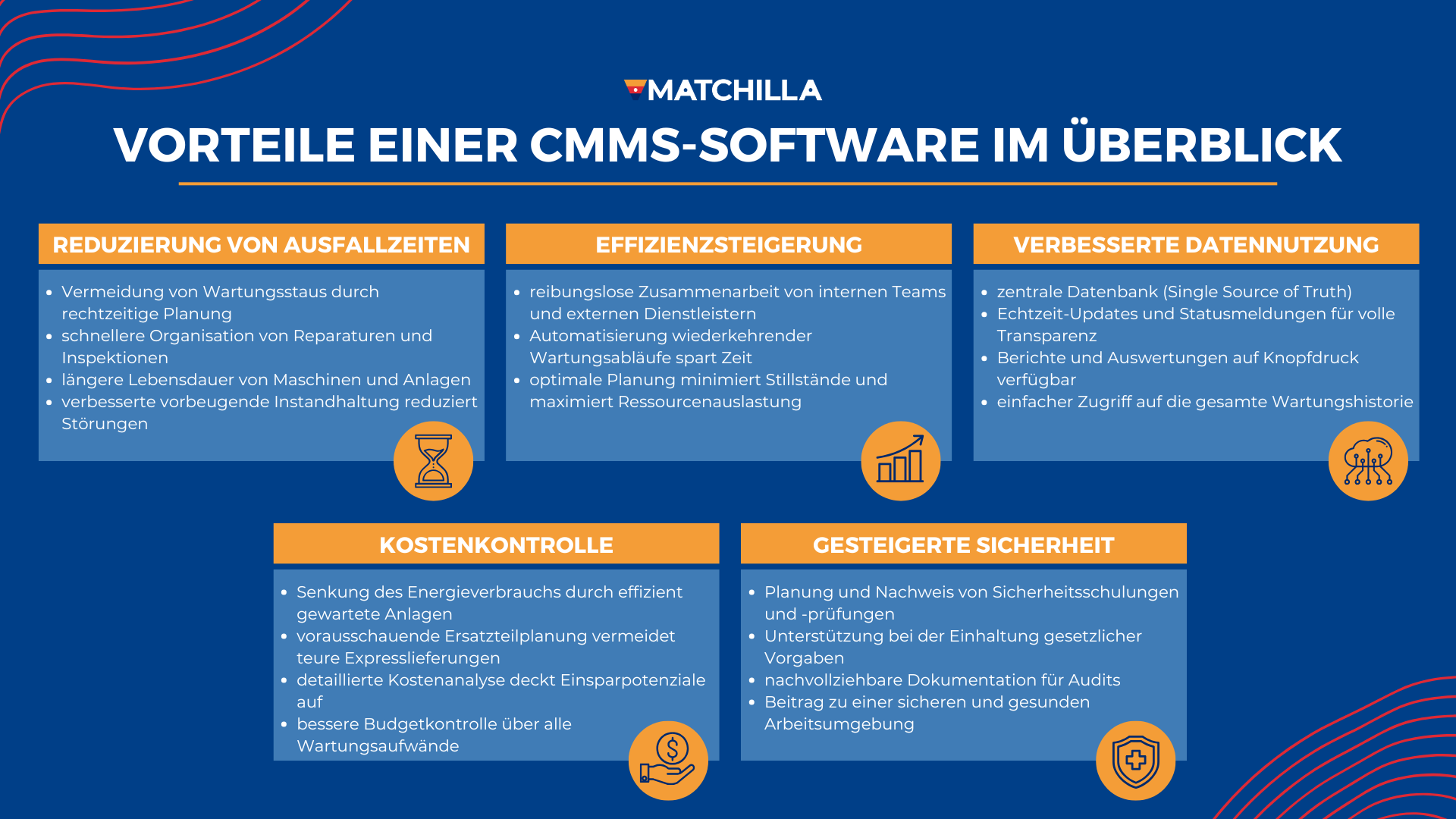
The math is simple: Anyone who properly implements and uses CMMS software quickly saves more than they spend. The system pays for itself in the very first year – and from the second year onward, it gets really interesting. Because then often only the annual license costs remain, while the savings potential continues in full. In addition, you are always up to date when it comes to compliance (fire protection, occupational safety, etc.) and prevent possible fines.
The best part: The benefits aren’t just financial. The team also benefits from clearer processes, less stress, and better collaboration. And, as a side benefit, you create a valuable data foundation that can be used to improve maintenance strategies over the long term.
Our tip: Simply enter the add-on “Please provide an initial price indication” in our CMMS Match Assistant.Â
The market for CMMS software is often confusing. Directories and comparison portals usually provide only long lists without real guidance – making it hard to narrow things down.
Our structured matching process helps you identify the right solution for your maintenance needs. We have already taken this path with numerous companies – from mid-sized businesses to large corporations – and are familiar with a wide range of requirements and scenarios when selecting the right tool.
Thanks to our market overview and personal experience, you gain a decisive knowledge advantage. Instead of laborious independent research, the Matchilla platform guides you step by step to the CMMS software that really fits you.
Our matching service for CMMS software is completely free of charge for you, non-binding, and anonymous to the providers.
The individual analysis of your requirements and access to detailed background information are financed via platform fees paid by the software providers – you incur no costs.
You do not enter into a contractual relationship with us. You decide for yourself whether and how far you want to go through the matching process – at any time and without obligation.
Simply start by filling out the Match Assistant for CMMS software. This gives us an initial insight into your requirements. We will contact you personally if further specifications are needed. This helps us refine the selection criteria and add additional individual decision factors beyond the standard data to the matching. Based on the aggregated information, we create the Matchboard on our platform featuring the tool providers most relevant to you.
René Kühn is the founder and managing director of Matchilla. With experience from over 700 matchings for mid-sized companies and corporations, he and his team were able to build one of the best market overviews of software providers.
Ihr seid auf der Suche nach einer Software, um Euer Lieferantenmanagement (Supplier Relationship…

Ihr seid auf der Suche nach einer Software fĂĽr Euer Informationssicherheitsmanagementsystem (ISMS)? Optimiert…

Ihr seid auf der Suche nach einer Software, um Eure Audits und manuellen…